

High Performance Computer Lab MCT 158
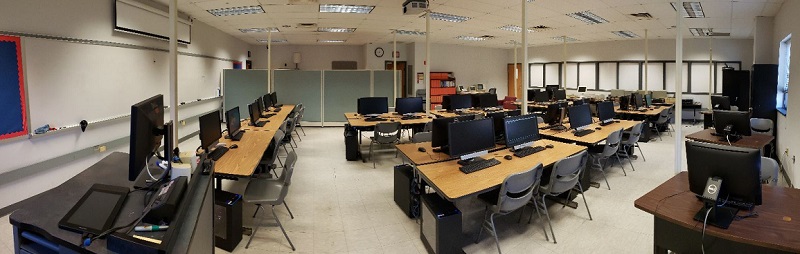
Our high performance lab is home to some of the most powerful desktop machines on campus. This is typically used for classes which require powerful workstations such as Advanced Graphics, Compiler Design, and Reconfigurable Computing. Due to its size, it is also used for our larger classes, such as the Modelling and Simulation class (ENGR110), a required course for all Computer, Electrical, Mechanical, and Civil Engineering students.
MCT158 houses 40 student workstations and a single instructor’s workstation. The current incarnation of the lab is equipped with Dell 5490 AIO workstations with the following specifications:
- i7-11700 8 Core CPU (which outperform the previous i7-7820X extreme edition CPUs)
- 4GB Nvidia GeForce GTX1650Ti
- 16GB DDR4 Dual Channel Memory Kit
- 512 GB Samsung EVO 970 M.2 SSD
- 23.8” IPS Wide Viewing Angle WLED, Full HD Display
In addition to the standard configuration, these machine have the Nvidia Development tools for CUDA and other GPU-based projects. So GPU acceleration is needed for a project, this is the room we go to.
This room also has a collection of legacy technology on display and is the home of the School of Engineering’s hands-on computer museum which includes a TRS-80, early PCs (8088, 286, 386) running DOS, Windows 3.1 and OS/2 Warp, and a few early Apple computers.
Software Engineering Lab MCT 162
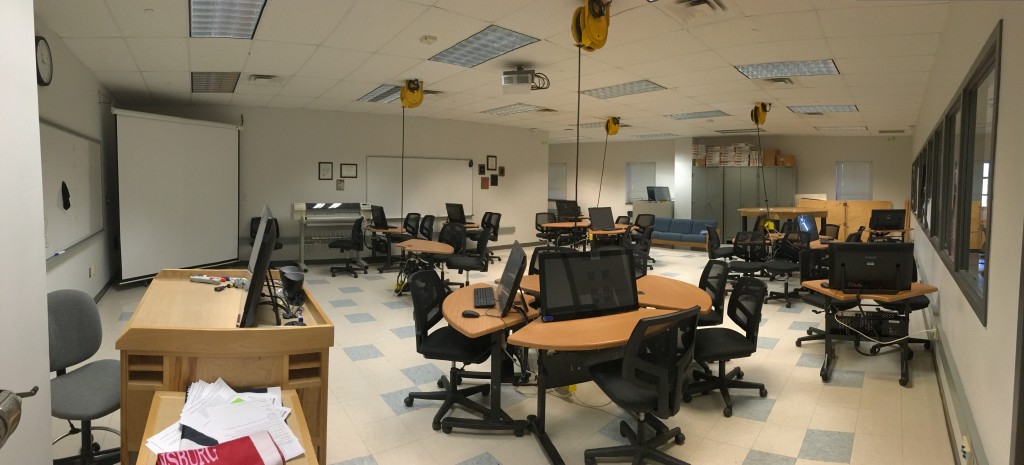
Our Software Engineering lab is a re-configurable room design to support team programming and agile development. This is typically used for classes such as Design Patterns, Software Metrics and Extreme Programming. This lab is also the most popular room for the meetings of student groups such as the Programming Team and the Game Dev Club.
MCT162, our Software Engineering lab is not your typical computer lab. This room is furnished and equipped to accommodate the needs of our software engineering classes. With 20 pair programming workstations equipped with wheels, the room is nearly 100% re-configurable. Power for the workstations is provided by one of the multiple retractable ceiling drops or any of the outlets along the perimeter of the room. With the addition of a 12 person planning table, a group discussion corner and over 50 linear feet of white board, this room has been specifically designed to support the concepts of a true agile development environment.
Our current machines are Dell OptiPlex 7010 micro form factor. Equipped with Intel i5-13500T processors, 16GB of RAM and 27″ multi-touch screens, these machines are more than sufficient to meet the needs of our software engineering courses. The workstations are configured to allow students to easily disconnect the display in order to provide more work area at the stations. All the student machines use wireless networking in order to support the flexibility of the room’s design. These machines are all using the standard dual-boot configuration.
When not actively in use for classes, this is a popular place for students to study, work on code or simply hang out. This room is also the meeting place for many student organizations including the Software Engineering Club and Programming Team.
Engineering Graphics Lab MCT 164
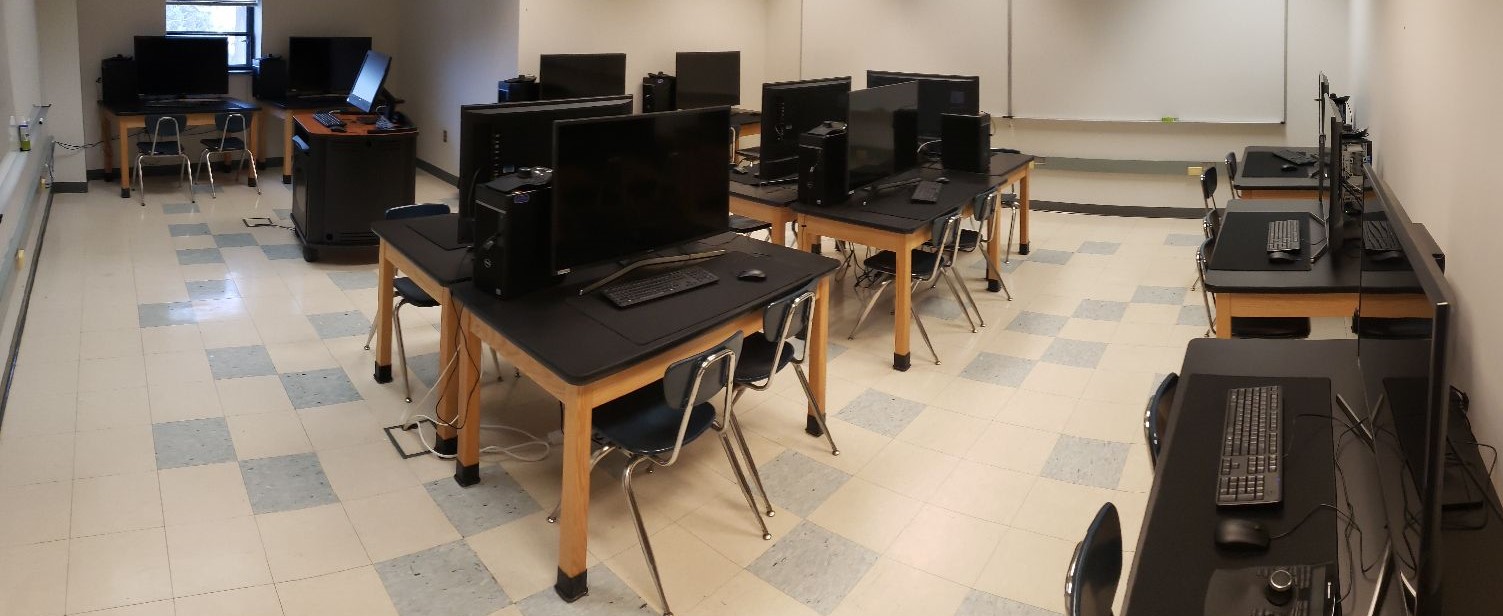
Our Engineering Graphics lab is primarily configured to meet the needs of the Civil and Mechanical engineering programs. This lab contains 12 high end graphics stations equipped with 40″ 4K displays, dedicated graphics, and 3-D Mice. This lab is where one would find the Solidworks, Bentley and AutoCAD Civil3D software suites.
MCT164 is home to our engineering graphics computing lab which houses 12 workstations configured for use by two person teams. The current incarnation of the lab is equipped with Dell OptiPlex 7080 Tower computers with the following specifications:
- i5-10500 Hexa-Core CPU
- 6GB Nvidia GeForce GTX1660 Super
- 16 GB DDR4 Memory
- 512 GB Samsung EVO 970 M.2 SSD
- 40″ Samsung 4K Display with 120Hz Refresh Rate
- 3Dconnexion SpaceMouse Enterprise
These machines were configured to support the high demand of engineering applications. These engineering software tools found in this lab include:
Computer Science Lab MCT 263
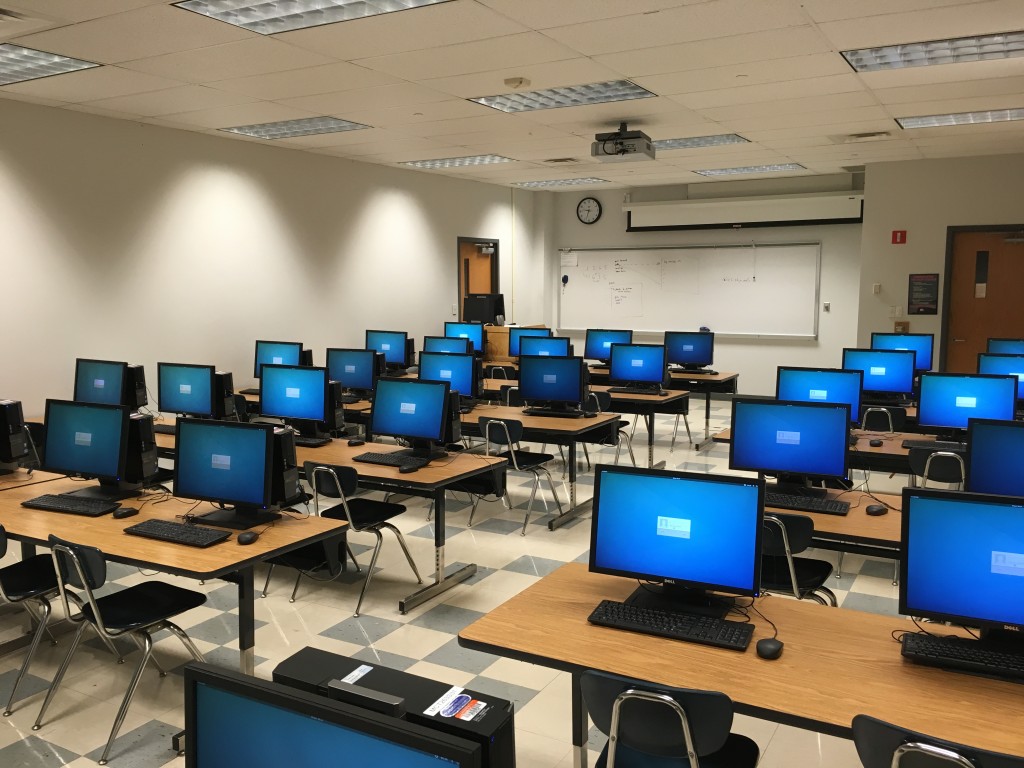
Our general use computing lab is styled as a traditional hands-on computer lab when high performance isn’t necessary. The computers in this lab are configured using the standard SoE Linux image. This lab is typically used for classes such as Python Programming, Computer Science I and II, Overview of Computer Science and more. A few of the machines have increased storage to support the standard dual-boot image to provide an option for small upper division classes requiring Windows-only software tools.
MCT263 is home to the Computer Science computer lab which houses 32 student workstations and a single instructor’s workstation. The current workstations in use in this lab are Dell Pro 24 All-in-One’s with the following specifications:
- Intel Core Ultra 5 245 CPU
- 512 GB NVMe SSD
- 16 GB 5600MHz DDR5 RAM
- 23.8” IPS ComfortView Plus, Full HD
These machines run the standard dual-boot image to accommodate all the Computer Science and Computer/Electrical/Software engineering courses. These computers can be reserved for remote access overnight or on weekends to accommodate special projects.
Research and Fabrication Lab MCT 163
Our research lab houses the various tools used by our Computer Engineering and Electrical Engineering programs. This is where we house the School of Engineering equipment for populating, diagnosing, and repairing custom circuit boards. In addition, there are 10 development and test stations for programming, analyzing, and debugging both custom and off-the-shelf embedded boards. It is also home to our advanced 3D printers used for rapid prototyping of board enclosures, sensor housings, and more.
Computer Engineering Lab
The Computer Engineering Lab (MCT163) supports the Department’s computer engineering activities. There are four major components to the lab. The Fabrication Line, the Testing & Development Stations, the Reference Board Library, and the 3D printing resources. The lab is open for general use during normal academic hours. Faculty coordinate 24×7 access for students who need access to the lab to complete projects.
Fabrication Line

Our students use the equipment in this part of the lab to fabricate custom circuit boards. Students get hands-on experience with the fabrication processing, going from blank copper plate to completed circuit board. The majority of the equipment was purchased from LPKF, Inc, and was selected because it is the state of the art in mechanical circuit structuring, and is largely chemical free; which is important for student safety and reducing the environmental footprint of the process.
LPKF Protomat S-63 Milling Machine
Mill custom circuit boards from copper plated FR4. Feature sizes down to 4 mil (.1mm). Also allows computer aided drilling and contour routing of various materials and 2.5D manufacturing.
LPKF ProtoPress Board Press
Create multi-layer PCB (up to 8 layers)
LPKF ProtoFlow Reflow Oven
Coating cure and reflow soldering
LPKF MiniContact RS Electroplater
Through-hole electroplating

LPKF ProtoPlace
Semi-automatic Pick and Place machine allows accurate placement of parts on a circuit board.
Advanced Techniques AT-GDP1 BGA Rework Station
Stereoscopic microscope and integrated heaters facilitate accurate placement of BGA, QFN, and other parts.
LPKF ProtoPrint
Solder paste stencil mask & application
JBC Tools Hot-Air / Digital Soldering Stations
Part installation & removal, board rework & repair
Targano Trend Digital Inspection Stations
Full HD Digital microscope with auto-focus provides up to 52x magnification to inspect and replace modern small surface mount components
Parts Library
Extensive array of components for students to use on projects. Parts library includes wide array of new parts, as well as a collection of boards students can use for salvage and to study existing system boards.
Testing and Development Stations

There are ten stations dedicated to support testing boards and developing the firmware and device software. These stations include:
- Custom built workstations equipped with:
- Ryzen 7 3700X CPUs
- 32GB System Memory
- 6GB NVidia GTX 1060 Graphics
- Rigol DP832 Programmable DC power supply
- Rigol DM3058E 5.5 digit bench multimeter
- Rigol DS1104Z Plus O2024 16-digital, 4-analog 100MHz scope, w/ 2 CH wave generator
- PIC ICD3 programmer / debugger
- Spectrum Digital XDS510 JTAG emulator
We also provide access to some of the most powerful engineering design and development tools, including:
- Cadence Allegro & OrCAD Schematic Capture & PCB Layout
- Xilinx Vitis, Vivado, ISE, EDK, and System Generator
- Microchip MPLAB X
- National Instruments LabView / Tektronix ed.
- MATLAB with Simulink and the complete set of toolboxes
Our licensing agreements allows the software to be installed on all of our departmental machines, and some of the software can be installed on students’ personal machines.
Reference Board Library
- Xilinx / Digilent ZedBoard Zynq-7000 ARM/FPGA SoC Development Board (see our FPGA wiki and Dr. Briggs’s FPGA videos)
- Basys MX3 MCU Trainer microcontroller boards
- ChipKIT™ PRO MX4 microcontroller boards
- TI Launchpad Tiva C Development kits
- Collection of assorting PMods (Bluetooth, RF, WiFi, Rotary Encoders, 5MP Cameras, and more…)
- Programmers / software development tools for our boards
3D Modelling and Printing Resources
To provide students with the resources to model and fabricate everything from board enclosures to robot parts, we have a number of software and printer options. Both Solidworks and Autodesk Inventor are available for students to design their 3D models. Once designed, we have the following printers to provide a number of various fabrication options.
- Flashforge Dreamer: A dual extruder filament printer capable of two color printing using either ABS or PLA.
- Formlabs Form 2: An SLA (Stereolithography) printer capable of printing with extreme accuracy. Resin options range from various draft grade resins, to high temperature and flexible resins, to bio-compatible resins.
- Formlabs Fuse 1: An SLS (Selective Laser Sintering) printer capable of small scale manufacturing and and prototyping using Nylon 12. This method is more cost effective than SLA as the unfused power provides the support structure while printing parts. In addition, the unfused powder is reclaimed during the post-production process and can be used for future prints.
Student Study Area MCT 165
Our tutoring & study lab provides students in our programs a place where they can access machines with the same configuration as our other labs in order to work on their coursework. In addition to a study area, this area is the overflow space for the Computer & Electrical Engineering Research & Fabrication Lab and is where one would find component storage and the wireless networking tools.
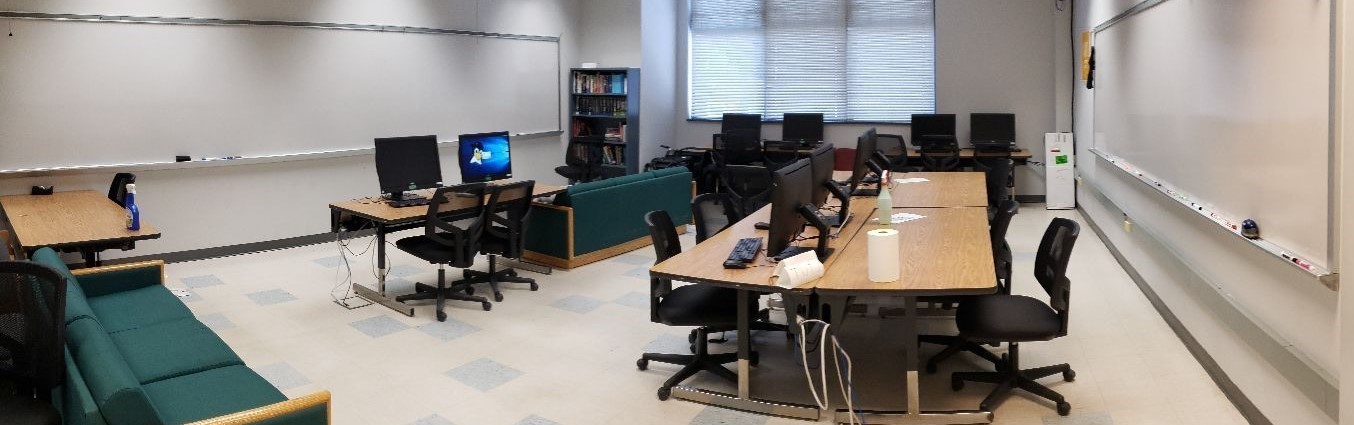
MCT165 is the current home of the department’s study area. The room is equipped with 7 workstations using the standard dual boot configuration which allows them to run any software used in any of the School of Engineering computer labs. There is additional workspace for students who choose to use their personal machines. This lab is where students in need of assistance with coursework will find the department’s tutors. Two room length whiteboards provide plenty of space for working out problems or just blowing off steam with a colorful collection of memes.
Our current machines Dell Optiplex 7480 AIO’s with the following specifications:
- Intel i5-10500 Hexa Core CPU
- 512 GB NVMe SSD
- 16 GB dual-channel 3200MHz DDR4
- 23.8” IPS Wide Viewing Angle WLED, Full HD
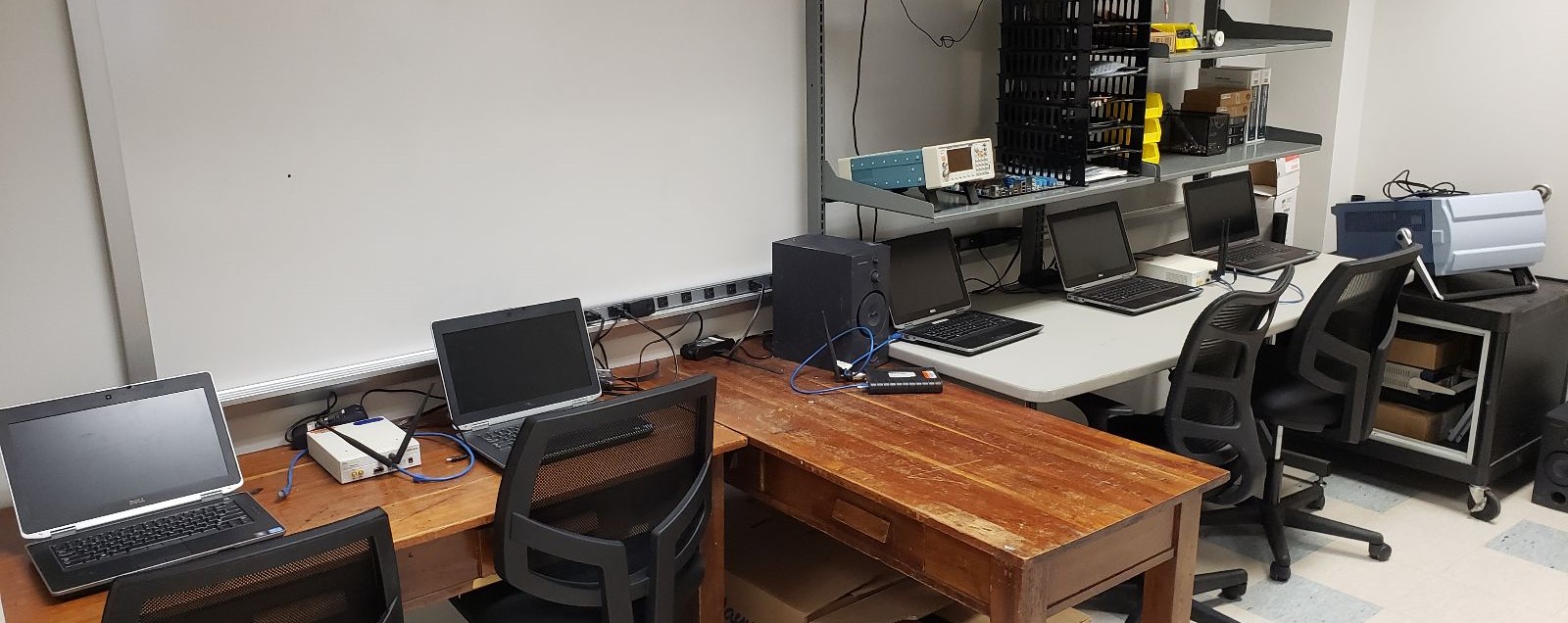
The wireless technology lab equipment is located in the front of this room and includes:
- Tektronix RSA306 Real Time RF Spectrum Analyzer
- Ettus Research USRP N210 Software defined radios
- Tektronix TSG4106A Signal Generator
- Each of the four stations is equipped with a laptop running the Ettus Research customized Linux. They are also equipped with a Dell AIO and a 2nd laptop running Linux.
Departmental Infrastructure
 Due to the requirements of our programs, the School of Engineering maintains our own infrastructure, which includes servers, file storage, backups and more. Below is an overview of the hardware & software which provide that infrastructure.
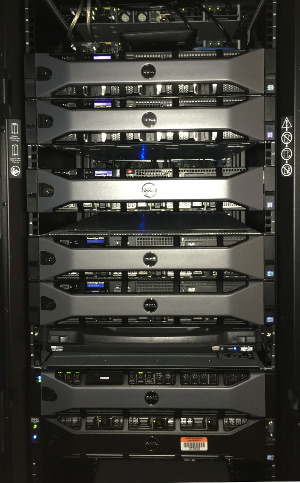
- Server Hardware: We currently use a mix of Dell server products. Multiple Dell PowerEdge R7515’s & R530’s provide a total of 164 physical CPU cores (328 logical cores) and 1920 GB of memory for our virtualized environment, which is used to host our infrastructure servers, servers which support specific classes, and other special project servers in order to meet the needs of our students and faculty. A portion of our infrastructure is used to provide a secure environment in which students can build and manage their own virtual servers.
- Virtualization: Our servers are configured as two separate data-centers. One includes a cluster for management servers and critical systems, such as the File-server and computational servers, and a single server which provides management and backups for our infrastructure. The second data-center hosts our second cluster for the class and project servers which students need more access to. The data-centers utilize many of the latest VMware hypervisor technologies including vCenter Centralized Management, dynamic vMotion, and vSphere’s HA technologies. This allows us to maintain a robust and flexible computer environment which can be dynamically reconfigured with little to no downtime. In addition, all ESXi hosts have read-only access to an ISO library which contains install media for over 20 Linux distros, multiple versions of Windows server, and more.
- Storage: Each of the clusters in the School of Engineering’s virtualized environment utilizes a shared Dell PowerVault storage array. These units are connected to our servers using redundant 12G external SAS connections. In addition to this shared storage, the standalone server utilizes internal high capacity storage for backups. We also have additional NFS storage for the ISO library, VM replication, and VM archives. These storage solutions provide the School of Engineering with over 90 TB of disk space for our servers, backups, replicas, and student & faculty home directories. All members of the School of Engineering are also provided access to 100 TB of shared cloud storage through our Google GSuite for Education program.
- Server configuration: Virtualized on our infrastructure are the following servers which are used to provide specific resources for coursework, projects and more.
- Clipper & Sloop: These are public facing SSH servers which provides standardized environments for writing and running code. These machines can be accessed from anywhere in the continental US without the need to connect to our network using the VPN server.
- Web: The server you are currently visiting. This server hosts the School of Engineering’s website, which is used to provide informational resources, access to pre-configured software downloads, technology tutorials, and web-based utilities such as the password reset utility.
- Students: This is a web server specifically for student run websites. Each of the various clubs gets an account and space to build their own site. The server is equipped with a full LAMP stack to accommodate database driven & CMS websites such as WordPress, Drupal, Interchange and Joomla.
- FSERV: This is our primary file server for user’s home directories. This can be access from academic areas, or from anywhere once a VPN connection has been established. The path to use is simply \\fserv.engr.ship.edu\home\$USERID. More detailed directions can be found HERE.
- Gitlab: A self-hosted software repository server used to support many of our software engineering, computer engineering, and computer science courses. School of Engineering students are able to self-register using their sponsored ENGR GSuite Account. Click HERE to access the login screen.
- YouTrack: A project management server used in a number of Capstone courses. Click HERE to access the login screen.
- DB: A dedicated MySQL database server. This server can be accessed via the command line when logged into Sloop, any of our lab machines or from any computer with the client installed as long as they are either on campus or connected to the University’s VPN.
- License: A dedicated server which hosts the licensing tools used by the lab computers and students to run the following software tools: the Xilinx Vivado Suite, Solidworks, Autodesk Civil 3D, Autodesk Inventor Pro, and the JetBrains IDEs. This machine resides behind the firewall, so access can only occur from campus or while connected to the University’s VPN.
- Centralized User Accounts: To support the School of Engineering’s hybrid IT infrastructure, all lab machines rely on centralized authentication. This service is provided using Microsoft’s Active Directory. In addition to lab machines, this account can be used to access shared servers and other key resources.
Standard Workstation Configuration
We use a standard system image based upon the host OS. Some of our labs use dual-boot Linux & Windows configuration. Access is managed using Active Directory accounts with home directories stored on a centralized server. (see Infrastructure) We presently use the Xubuntu 24.04 LTS as our preferred distribution and Windows 11 Education Professional Edition. When reporting an issue, or in the event you were asked to access a lab machine remotely, the labs machines follow simple naming convention: room number concatenated with ‘s’ followed by a 2 digit number; for example: mct162s01.
Below is a summary listing of the installed software available on most of our departmental machines:
Linux System Configuration
- Blender
- Eclipse
- Emacs
- Edge
- Firefox
- Ghidra SRE Framework
- GITG
- GODOT
- Gradle
- JetBrains IDEs
- CLion
- IntelliJ IDEA
- PyCharm
- RubyMine
- RustRover
- Libre Office
- MARS Mips Emulator
- MPICH2
- SQL Developer
- VS Code
- Wireshark
- Languages Supported: Assembly, C, C++, Cobol, Fortran, Haskell, Java, Lisp, Pascal, Perl, Python
Windows System Configuration
- Autodesk Software: Inventor Professional
- Chrome
- Edge
- Firefox
- Ghidra SRE Framework
- JetBrains IDEs
- CLion
- IntelliJ IDEA
- PyCharm
- RubyMine
- RustRover
- Microsoft Office
- MATLAB
- MPLab X
- OrCAD
- Python
- Tortoise GIT / SVN
- VS Code
- Wireshark
- Languages Supported: Java, J#, C, C++, C#, Lisp, Python
- Only In Specific Labs:
- Autodesk Software: Civil 3D
- Bentley Software Systems
- SolidWorks
- Xilinx Vivado
Additional Resources
In addition to all the hardware available to our students, we provide access to a number of additional resources.
- Google Apps for Education: As part of the department, you will receive a Gmail account which is part of our domain. As part of this program, you will have access to email, chat, shared calenders, and much more. Additionally, you will have an Google Drive account with unlimited online storage.
- Microsoft Azure for Education: (Formerly known as Imagine: (Formerly known as Dreamspark)) This is a Microsoft program which supports technical education by providing software for students, faculty and computer labs. Using this resource, students in our department can download Microsoft software packages such as Windows Servers, Visual Studio, Microsoft operating systems and are able to take advantage of Microsoft’s cloud-based resources.
- Student Managed Servers: We have additional ESXi servers configured to host dedicated servers for both students & student organizations. If you find yourself needing a server for a special project, a simple request will often get you the resources you will need.
- VPN Access: Engineering students are provided VPN access to the campus network to provide secure access to School of Engineering resources. Using this connection students can connect access specialty servers required for classes, access lab computers directly for special projects, connect to vCenter to access student managed ESXi hosts, and more… Students can find detailed instructions at VPN Access for School of Engineering Students.
- ACM Digital Library: The digital library provided by the Association for Computing Machinery. You can use this resource to access technical journals and academic papers. (To access from off campus, please use the portal provided by the library.
- Useful Software: This is a listing of some of the most useful software we have found:
- VcXrv: A X-11 Server for Windows which allows you to take advantage of graphical apps when using WSL
- 7-Zip: A Windows utility for working with nearly every compressed file format.
- MobaXterm: A utility which brings the key Unix commands to your Windows machine. It allows for multiple tabbed sessions and supports X11 sessions.
- Notepad ++: A full featured text editor for Windows.
- Putty: An down an dirty terminal program for Windows.
- RealTerm: A nice terminal program which has more options than you will know what to do with.
- SFTP NetDrive: A nice tool which allows you to utilize our SSH servers to mount your SoE home directory on your Windows machine from either on or off campus.
- If there is something you think is great, let us know and we will add it to the list!
- MobilePrint: Using this web-based utility, students have access to all the campus printers from any devices, including the computers in the SoE labs. For directions, please review THIS documentation.
- Hands-on functional computer museum: We have working machines if you want to take a step back in time. From our TRS-80 and Tandy-1000 to our 386 machines running DOS 3.3 & Windows 3.1, we have machines which you haven’t seen for a while. Additionally, we have a first-generation Pentium with OS-2 Warp and some vintage Macintosh machines based off Motorola 68K series processors.